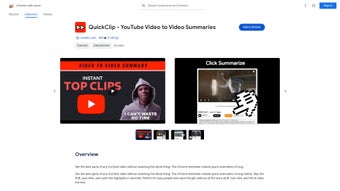

Download QuickClip – YouTube Video Summarizer, Fast Insights & Secure Chrome Extension
Overview of QuickClip
QuickClip is a lightweight Chrome extension designed to turn long‑form YouTube videos into concise, AI‑generated summaries. Built for students, professionals, and anyone who needs to extract the essence of a video without committing to the full runtime, QuickClip delivers a short‑form recap with a single click. The tool leverages advanced natural‑language processing to identify key moments, filter out filler, and present the core message in a readable paragraph or bullet list.
Because it operates directly within the browser, there is no need for separate software, external downloads, or complex configuration—just install the extension, open any YouTube video, and let QuickClip do the heavy lifting. The developers have placed a strong emphasis on privacy; the extension processes video metadata locally and does not store personal data on external servers. This focus on security, combined with a sleek user interface, makes QuickClip an ideal companion for busy individuals who want to stay informed while preserving valuable time.
Whether you’re preparing for a presentation, reviewing lecture material, or simply skimming entertainment content, QuickClip offers a reliable, free solution that balances speed, accuracy, and user‑centric design.
Key Features that Set QuickClip Apart
- One‑Click Summarization: Generate a summary instantly by clicking the QuickClip icon while watching a YouTube video.
- AI‑Powered Highlight Extraction: Uses deep‑learning models to detect the most relevant sentences, timestamps, and visual cues.
- Customizable Output Length: Choose between short (30‑second) or detailed (up to 2‑minute) summaries to match your time constraints.
- Privacy‑First Architecture: All processing occurs locally in the browser; no video content or user data is transmitted to third‑party servers.
- Seamless Chrome Integration: Appears as a toolbar button and works on all YouTube pages, including playlists and embedded videos.
- Multilingual Support: Supports English, Spanish, French, German, and many other languages for global accessibility.
- Export Options: Copy the summary to clipboard, download as .txt, or send directly to Google Docs for further editing.
- Regular Free Updates: The development team pushes frequent enhancements, ensuring compatibility with YouTube’s evolving platform.
- Lightweight Design: Consumes minimal RAM and CPU, preserving browser performance even on older machines.
- Community Feedback Loop: Users can rate summaries and suggest improvements, helping the AI refine its accuracy over time.
These features combine to make QuickClip not just a time‑saving gadget, but a strategic tool for knowledge workers. The AI’s ability to capture the essence of a 20‑minute lecture in a 45‑second paragraph means you can preview content before deciding to dive deeper, or you can use the summary as a quick reference during meetings. Because the extension is free and continuously updated, you never have to worry about hidden fees or outdated functionality. Moreover, the multilingual engine expands its utility to non‑English speaking audiences, turning QuickClip into a truly global productivity enhancer.
Installation, Usage & Compatibility
Step‑by‑Step Installation
Installing QuickClip is straightforward. Open the Chrome Web Store, search for “QuickClip – YouTube Video Summarizer,” and click Add to Chrome. A confirmation dialog appears; accept the permissions, which are limited to reading YouTube page content and displaying a toolbar icon. Once installed, the QuickClip icon appears to the right of the address bar. No additional configuration is required, making the extension ready for immediate use.
How to Generate a Summary
After installation, navigate to any YouTube video. While the video loads, click the QuickClip icon. A small overlay window pops up, offering two summary length options: “Brief” (≈30 seconds) and “Detailed” (≈2 minutes).
Select your preference, and the AI begins analyzing the video’s transcript and visual cues. Within seconds, a concise summary is displayed. You can copy it, export it, or close the overlay.
If the video lacks captions, QuickClip falls back to speech‑to‑text conversion, ensuring most videos are still summarizable.
Operating System Compatibility
QuickClip runs exclusively as a Chrome extension, which means it works on any operating system that supports Google Chrome, including Windows 10/11, macOS Ventura and later, Linux distributions, and ChromeOS. Because the processing happens locally, the extension is also compatible with Chrome’s mobile version on Android and iOS, though the UI is optimized for desktop browsers. Users of alternative Chromium‑based browsers (e.g., Edge, Brave) can also install QuickClip from the Chrome Web Store, provided they enable extensions from external sources.
Troubleshooting Common Issues
If QuickClip does not appear after installation, verify that extensions are enabled in Chrome’s settings and that you have the latest browser version. In rare cases where a video is age‑restricted or private, the extension may be unable to read the transcript; logging into YouTube or using a VPN can resolve such restrictions. For performance concerns on older hardware, disable other resource‑intensive extensions to ensure QuickClip runs smoothly.
Pros, Cons, FAQ & Final Verdict
Pros and Cons
- Pros
- Free to use with regular updates.
- One‑click operation saves time.
- AI delivers accurate, context‑aware summaries.
- Privacy‑first: no data is sent to external servers.
- Works across Windows, macOS, Linux, Android, and iOS via Chrome.
- Multilingual support expands global reach.
- Export options simplify workflow integration.
- Cons
- Requires an active internet connection for AI model queries.
- Summaries depend on the quality of YouTube’s auto‑captions.
- Limited to Chrome; not a standalone desktop app.
- Very long videos (>2 hours) may take longer to process.
Review Summary: QuickClip stands out as a fast, reliable, and privacy‑conscious tool for summarizing YouTube content. Its AI engine balances brevity with accuracy, making it a must‑have for knowledge workers. While it leans on YouTube captions and needs an internet connection, the benefits far outweigh these minor drawbacks.
Frequently Asked Questions
Is QuickClip completely free?
Yes, QuickClip is offered as a free Chrome extension. All core features, including summary generation and export options, are available at no cost. Future premium features may be introduced, but the basic summarizer will remain free.
How does QuickClip protect my privacy?
QuickClip processes video metadata locally within your browser. No video content, transcript, or personal information is transmitted to external servers, ensuring that your browsing data stays private.
Can I use QuickClip on mobile devices?
Yes. The extension works on Chrome for Android and iOS. While the UI is optimized for desktop, the core summarization functionality remains the same on mobile browsers.
What happens if a video has no captions?
QuickClip falls back to an internal speech‑to‑text engine that transcribes the audio in real time. The accuracy may vary slightly, but the AI still extracts the main points effectively.
How often is QuickClip updated?
The development team releases updates roughly every month, addressing YouTube API changes, improving AI summarization, and adding new language support.
Conclusion & Call to Action
In a world where video content dominates knowledge sharing, QuickClip offers a pragmatic shortcut that doesn’t compromise on depth. Its AI‑driven summaries, zero‑cost model, and strong privacy stance make it an indispensable addition to any Chrome browser. Whether you’re a student needing quick lecture recaps, a marketer scanning industry webinars, or a casual viewer wanting to decide if a video is worth your time, QuickClip delivers the insights you need in seconds. Don’t let long videos slow you down—download QuickClip today and start turning YouTube’s endless streams into bite‑size knowledge.



.png)



